Imagine this: you’re about to release a major feature and can’t help but worry. Will it break something? Will users like it? You’ve tested it in development and maybe even in staging, but production is a whole different beast. These uncertainties are common, and this is exactly where feature flags come to the rescue.
What Is a Feature Flag?
At its core, a feature flag is a simple mechanism, a collection of variables that determine whether a feature is turned on or off. By wrapping parts of your code in conditional statements, you can dynamically enable or disable features.
Feature flags can live in many places: a JSON file in your project, a database table, or even a specialized service. It all depends on your needs.
📍Here’s a simple example:
const isNewFeatureEnabled = false;

if (isNewFeatureEnabled) {
  // Show new feature
} else {
  // Show existing feature
}
This works, but it’s limited. Storing flags locally means you can only change them before deployment. While better than nothing, it doesn’t unlock the full potential of feature flags.
Taking Feature Flags to the Next Level
To fully leverage feature flags, you need either:
- An in-house system in your backend
- A feature-flag service
For this example, we’ll use Flagsmith, a simple open-source feature-flag platform.
Setting It Up
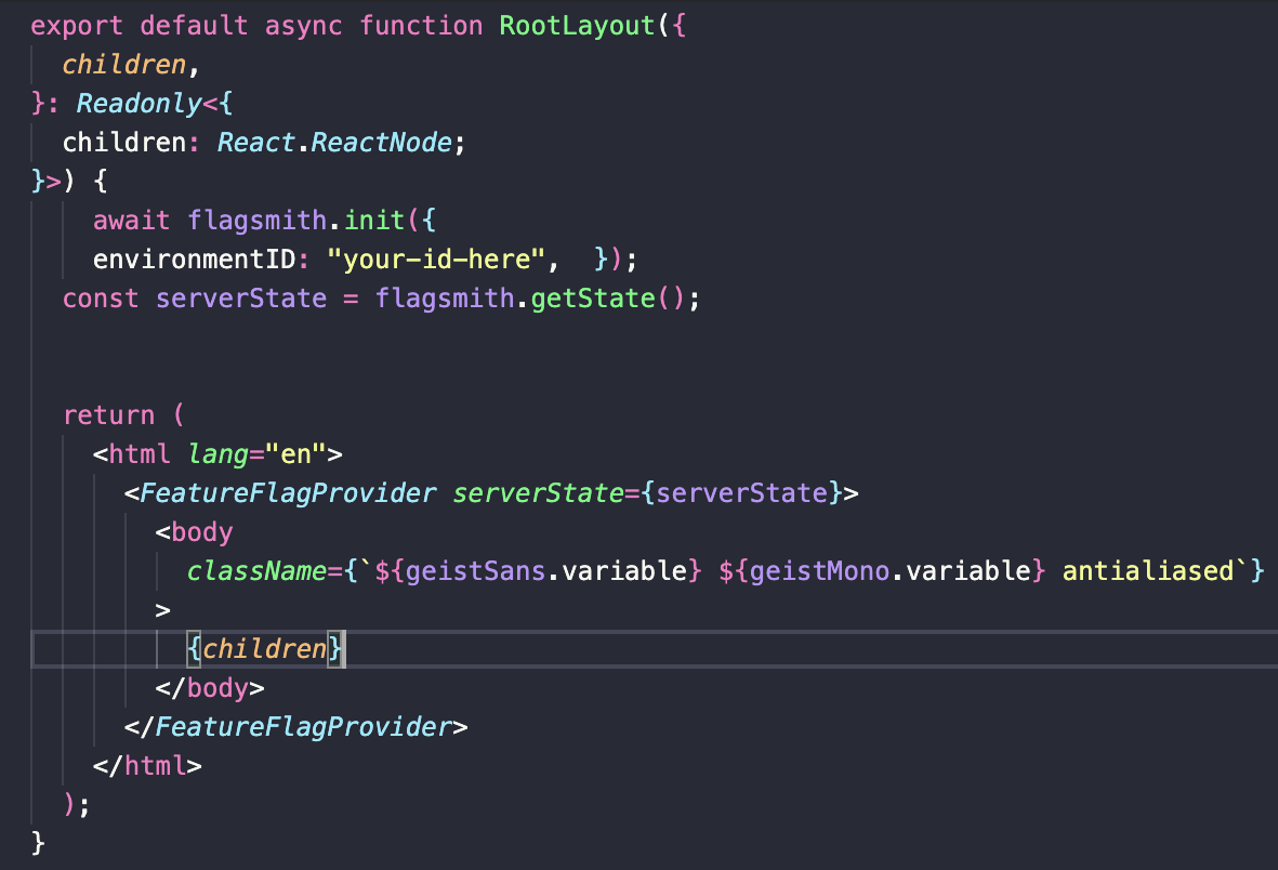
Wrap your app’s root layout with FeatureFlagProvider from Flagsmith and provide your environmentID.
This ensures all components inside your app have access to the flags.
<FeatureFlagProvider environmentID="your_env_id">
  <App />
</FeatureFlagProvider>
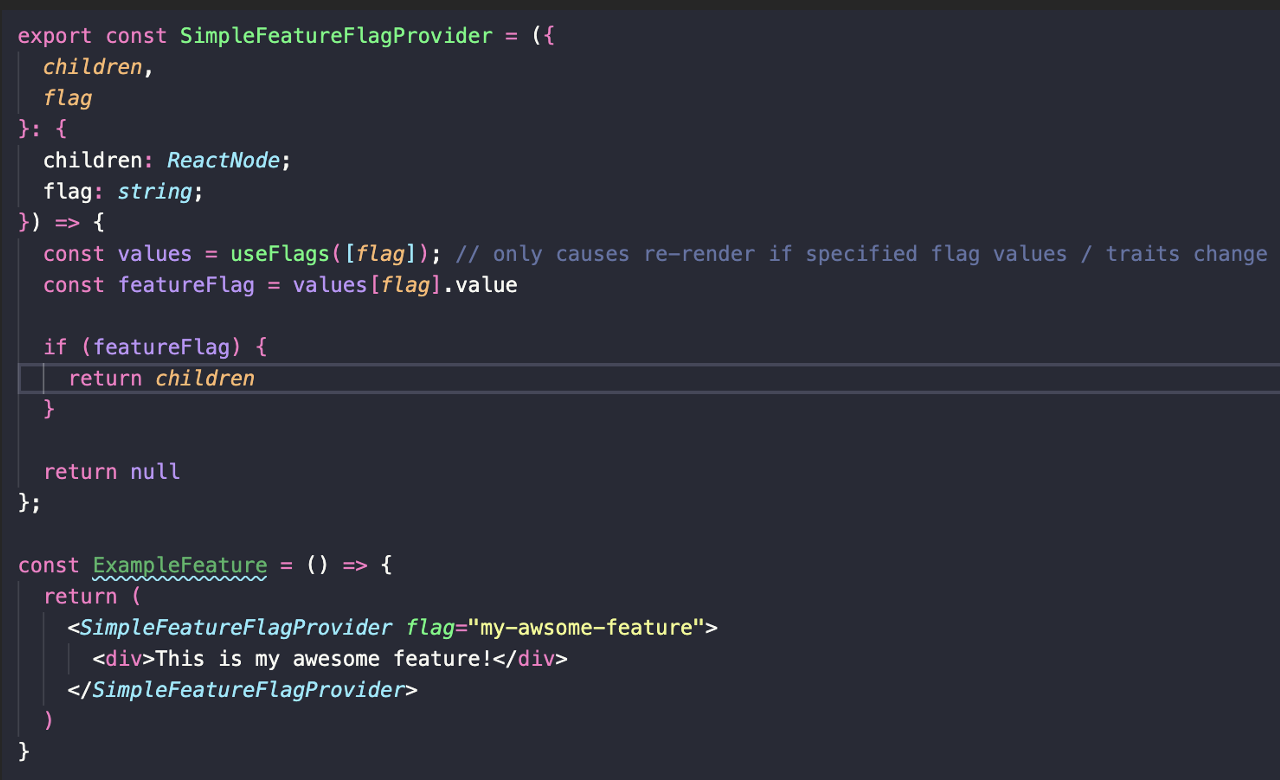
Next, instead of checking a constant, fetch flags dynamically with useFlags from Flagsmith. Now you can toggle features at runtime, no redeploy required. Want to roll out a feature to just 20% of your users for an A/B test? Or instantly disable it if something goes wrong? You can.
How to Make Feature Flag Work?
Now let’s look at how to create traits and segments in practice. Fortunately, the Flagsmith web interface is simple and intuitive. In the “Identities” tab, you’ll notice that Flagsmith automatically created an identity for you after running the code.
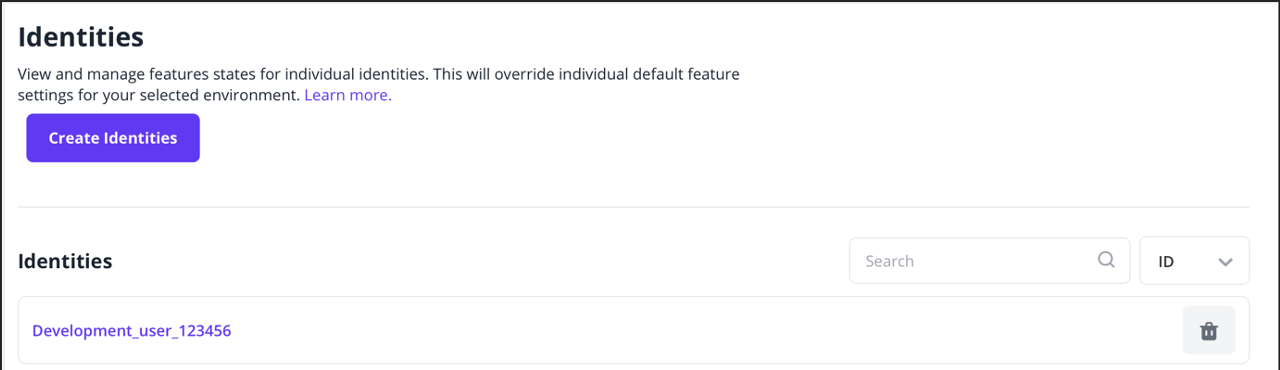
Next, let’s add a trait to this development user and mark them as a member of our QA team.

Now that we have a trait, we can go ahead and create a segment that will encapsulate all members of our QA team.
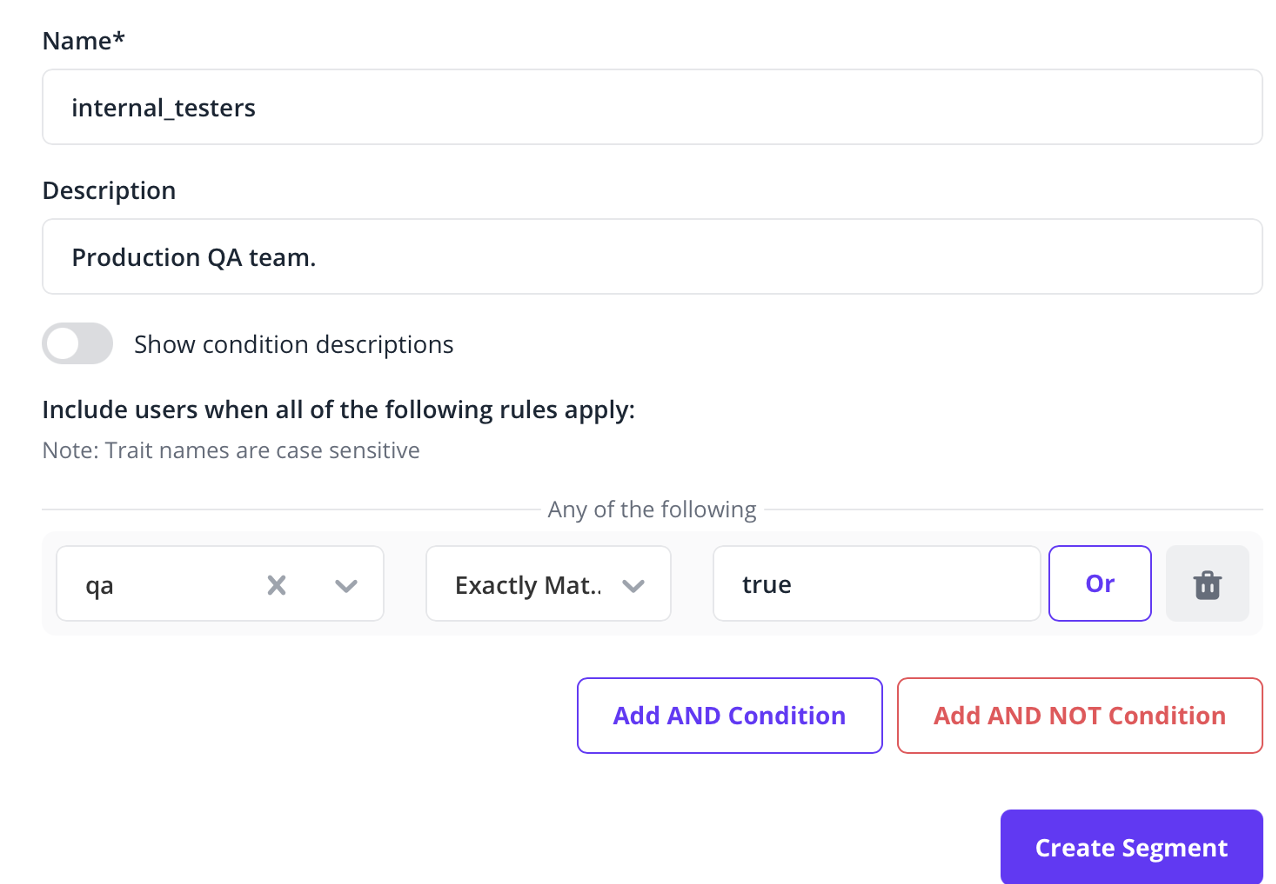
With our traits and segments defined, we can now override our black_friday_banner feature so it’s always visible to users in the internal_testers segment. And just like that, without changing or deploying any new code, the banner becomes visible to our internal team for testing in production, without disturbing regular users.
What Can You Do With Feature Flags?
Feature flags are more than just a safety net, they’re a powerful tool for teams and businesses. With Flagsmith, you can:
- Dark launch features in production (release without enabling)
- Let QA teams test features in real conditions
- Conduct A/B testing with select user groups
- Roll out features to early adopters first
Flagsmith’s Identity Traits and Segments make this easy. Traits let you assign key/value pairs to users (e.g., marking someone as a QA tester). Segments are subsets of users based on these traits. Think of it as tagging your production users for testing or beta access. You can also use segment overrides to control feature states specifically for those user groups.
Example: QA Testing a Banner
In the Flagsmith dashboard, navigate to the “Identities” tab. After running your code, a development user identity will appear. Add a trait to mark this user as part of your QA team. Create a segment to group all QA members. Override the black_friday_banner feature to always show for the QA segment. No code changes, no redeployment, the feature is live for testing without affecting regular users.
Beyond Development: Marketing and Personalization
Feature flags aren’t just for developers. Imagine showing features to users based on location, user behavior, or subscription tier. They’re a versatile tool for marketing, personalization, and even gradual rollouts.
Caveats and Maintenance
Of course, feature flags come with responsibilities. Some flags may become obsolete as features mature, requiring cleanup in both your code and the Flagsmith dashboard. Over-reliance on conditionals can clutter your codebase if not managed properly. A clean wrapper approach helps, but careful planning is essential.
Conclusion
Despite the overhead, the flexibility, control, and safety feature flags provide are invaluable. From safe rollouts to A/B testing and personalized experiences, they give teams the confidence to innovate without fear. If you’re still hesitating, remember: feature flags aren’t just a development tool, they’re a strategic advantage.